
Archi version 5.10 is now available to download.
Archi 5.10 has been available as early access to Patreon supporters since June 2026 and is now released as GA (General Availability). It’s thanks to this support and other Archi supporters that this version has been developed.
New features, improvements and fixes are listed in the Version History.
Archi 5.10 is a major update introducing new features, improvements and bug fixes bringing greater flexibility, visual polish, and performance.
Here’s a summary of some of the new features in Archi 5.10.
Built on the latest Eclipse frameworks
Recent versions of Archi (versions 5.4 to 5.9) were built on Eclipse 4.32 (released in June 2024) and a customised fork of the Graphical Eclipse Framework (GEF) from 2021. Maintaining these legacy versions has become unsustainable as upstream frameworks introduce bug fixes and new features. Building on the latest frameworks ensures compatibility with modern operating systems and makes upstream support easier as well as allowing Archi to use new features.
Many of the underlying changes in Eclipse concern supporting multiple displays and scaling support on Windows, SVG images, and multiple fixes and improvements. For a more detailed explanation please see here.
SVG support for images
You can now use SVG images in figures. These are the images that can be used for Specializations and general images in Notes and Canvas objects. Using the SVG format means that the image can be scaled without loss of quality. The Archi 5.10 User Guide has more information in the section “SVG Support”.
Markdown support
You can now use Markdown (and HTML) for the Documentation of objects in the Properties Window and this can be previewed in the same place.
To the right of the Documentation field press the toolbar button “Edit” or “View” to toggle between the two modes.
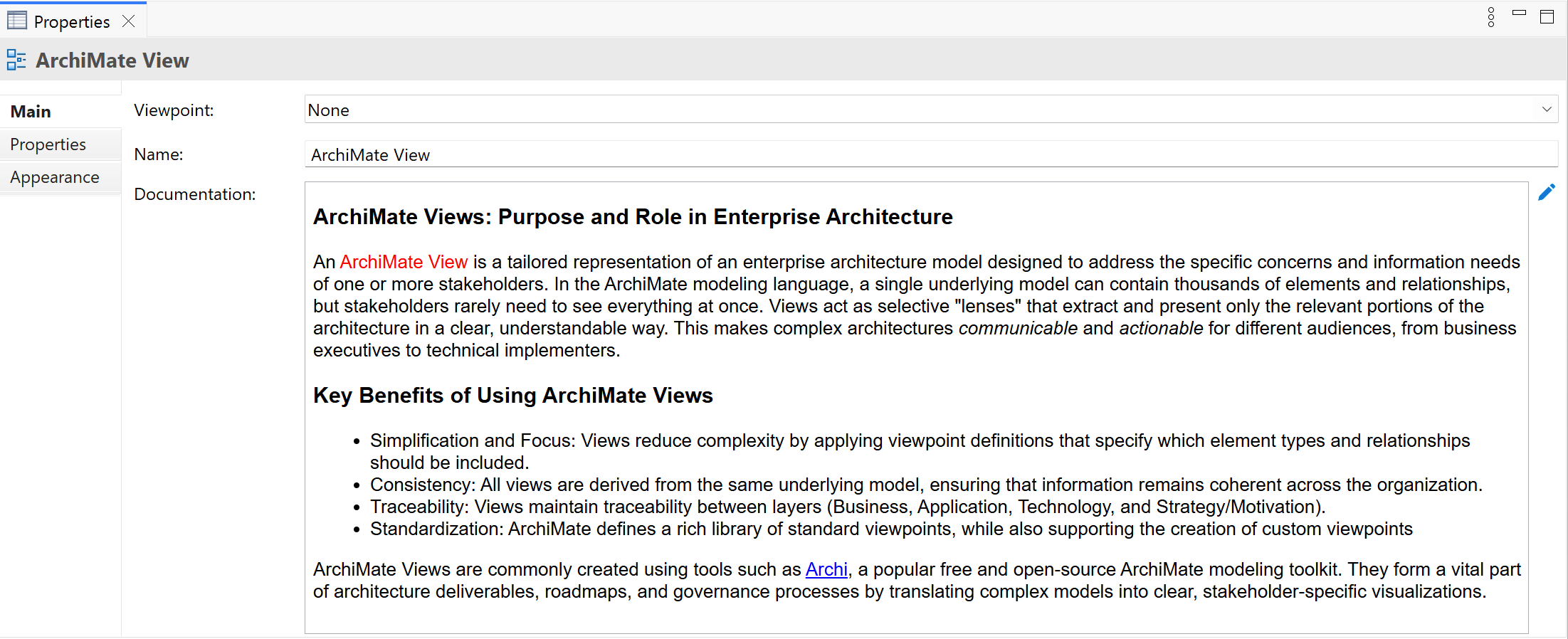
Because Markdown is converted to HTML it can only be rendered in the UI in an embedded browser component so some limitations should be noted:
- Markdown is rendered in the Documentation field in “View” mode
- If Markdown is used in a Documentation field and it is referenced using the “${documentation}” label expression it is rendered as simple text in a diagram figure. HTML is not rendered as simple text and is shown “as is”.
- Markdown is rendered when exporting a model to a HTML Report but is not rendered in diagram figures. (See the next point).
- Markdown is not rendered in diagram figures. This is because diagram figures aren’t browser components. See here for an explanation.
- Markdown is not rendered when exporting a model to a Jasper Report because JR does not support it. Instead, it is rendered as simple text.
Add zoom support to the Visualiser
You can now zoom in and out in the Visualiser, just like diagrams.
Zoom in diagrams now centres on the mouse cursor location
When zooming in and out of diagrams the zoom focal point is now at the mouse cursor position not the centre of the diagram.
New grid display in diagrams
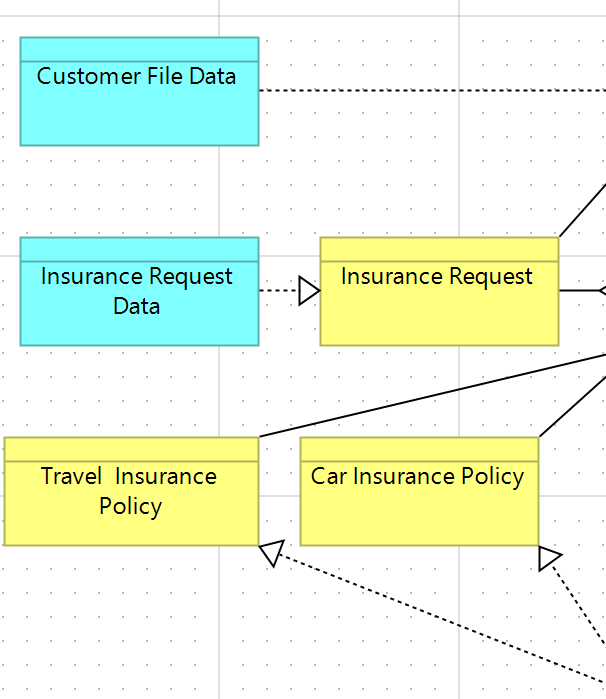
The grid in diagrams now uses a “hierarchical” display.
Improvements to rendering of diagram figures
Improvements have been made to the rendering of figures thanks to using the latest Graphical Eclipse Framework. Notably, a figure’s width and height is no longer 1 pixel short in relation to the grid.
Add new option for connection label offset (North, South, East, etc.)
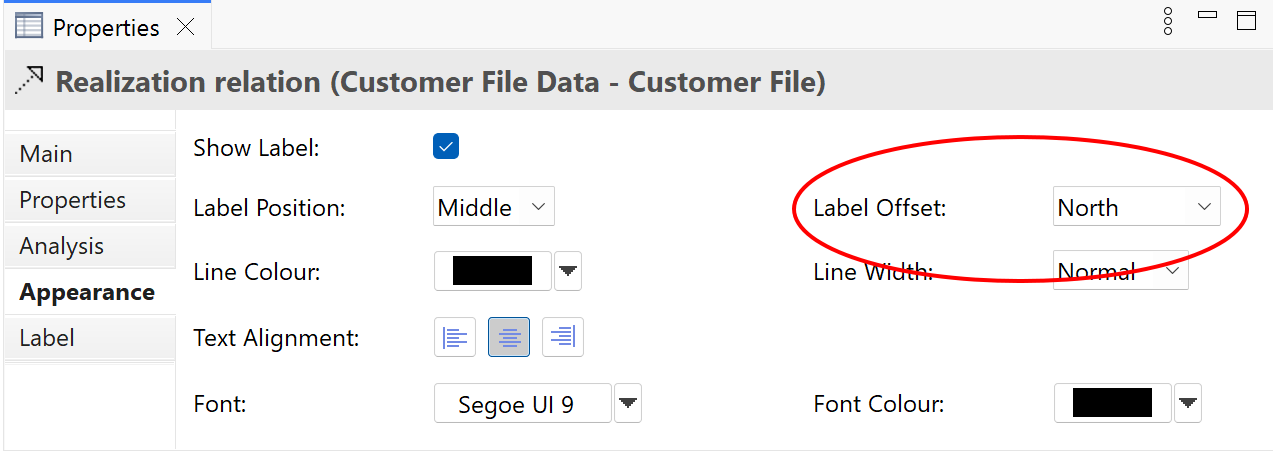
There’s a new “Label Offset” adjustment for connections. This sets the relative position of the connection’s label if its position is “Middle”. This means that connection labels can be positioned away from the connection.
Options are “Centre”, “North”, “South”, “East”, “West”, “North East”, “North West”, “South East”, and “South West”.
Quick Add Popup
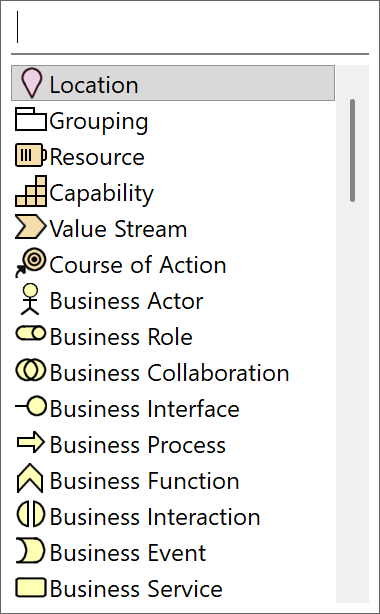
You can now also add elements to an ArchiMate View using the Quick Add popup. To open it, Alt-click where you want the element to appear, or use the default shortcut Shift+A. Type in the filter box to search for an element then press Enter or double-click to add it at the cursor’s location.
Support multi-monitor display scaling on Windows
This support is provided by using the latest Eclipse framework. See here for more information.
More…
There are several other improvements and bug fixes in Archi 5.8 which contribute to its stability and usability. See the full Version History.
Thanks to our Archi Supporters!
We’d like to thank everyone for their support on Patreon and from other donations. Without this support Archi 5.10 would not have been possible. If you’d like to support Archi and have early access to the next version of Archi please join us at Patreon.
